A camera cage with a cold-shoe mount and a $20 wireless lavalier mic will do more for your videos than almost anything else you can buy this year. The iPhone 18 Pro already handles exposure and focus well on its own, so the accessories worth buying are the ones that solve a specific problem your phone can’t: steadier handheld shots, cleaner audio in noisy rooms, consistent lighting after dark, or battery life that survives a full day of filming.
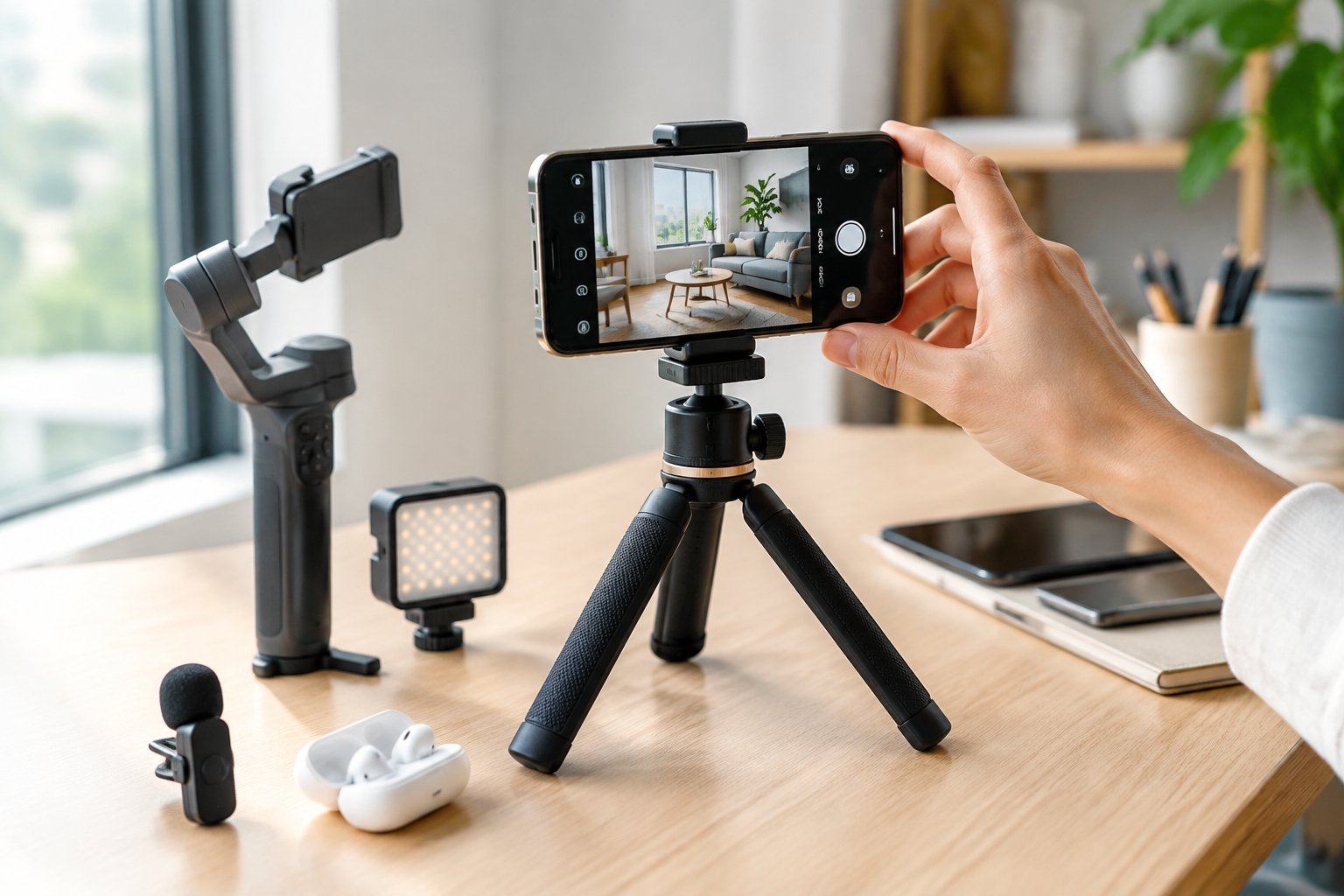
Picking the right gear starts with knowing what you actually shoot. A talking-head creator doing interviews needs different tools than someone shooting product close-ups or run-and-gun vlogs. The iPhone 18 Pro and Pro Max share most of their camera hardware, but they don’t share every accessory fit, and that distinction trips up a lot of buyers who order a cage or lens mount sized for the wrong model.
Build a Rig for Better Camera Control
A rig turns your phone into a modular camera body, giving you threaded mounting points for microphones, lights, and grips instead of a bare slab of glass. The right combination depends on how often you shoot handheld versus on a tripod, and whether you need external lenses or filters badly enough to justify the extra bulk.
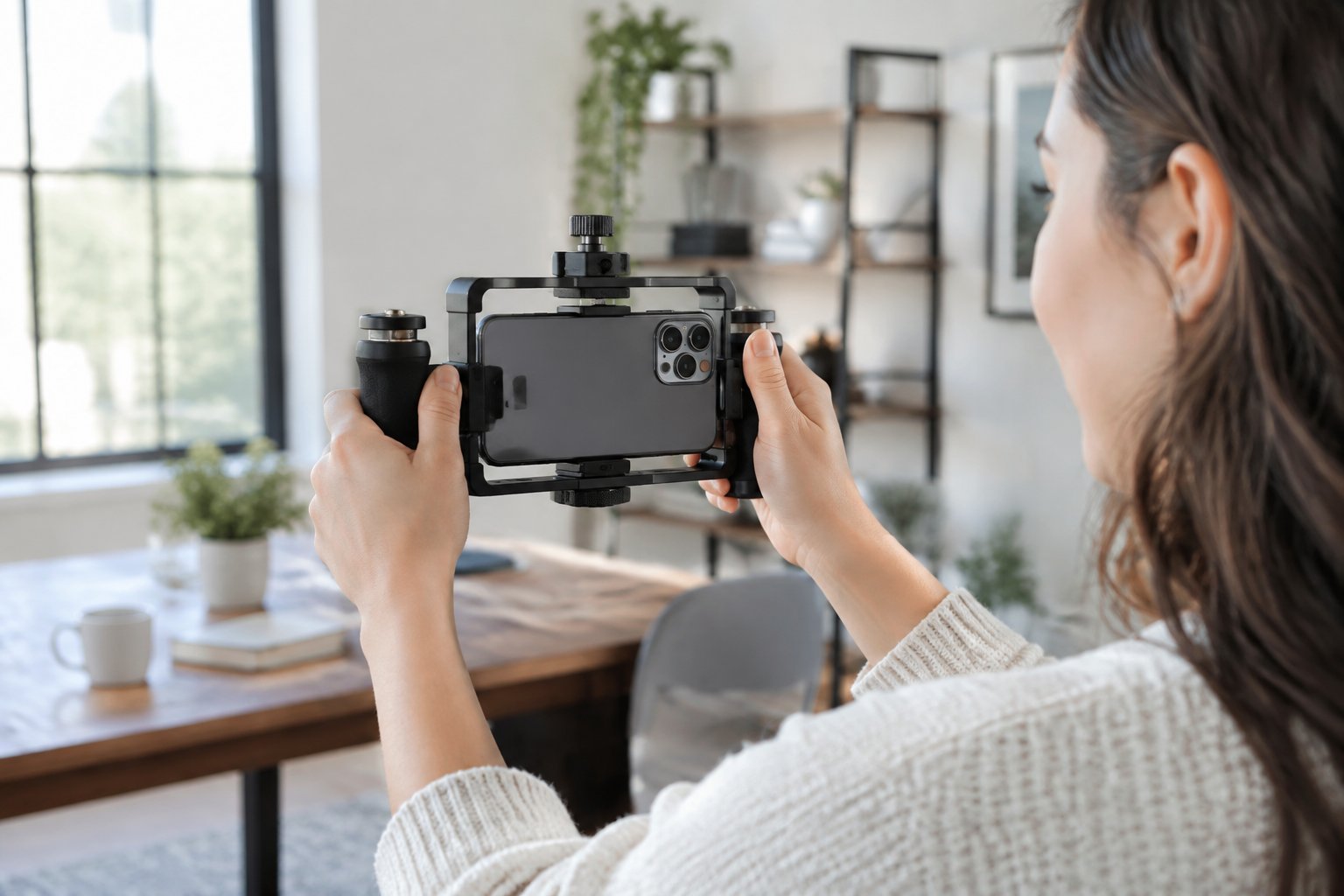
When Is a Phone Cage Worth It?
A cage earns its place once you’re mounting more than one accessory at a time. If you’re attaching a microphone and a light to the same shoot, a cage gives you cold-shoe mounts and threaded points that a bare phone or basic case can’t offer. Cage ecosystems built around the current iPhone generation add modular mounting adapters for exactly this kind of multi-accessory setup, as seen in SmallRig’s iPhone 18 Pro cage ecosystem.
If you only ever shoot handheld with your phone and no add-ons, a cage adds weight and cost without much payoff. Casual vloggers who just want stabilized footage are often better served by a grip or small tripod alone.
Which External Lenses Add a Useful Perspective?
External lenses are worth adding when you need a focal length or field of view the native lens system doesn’t cover, like an ultra-wide establishing shot or a macro close-up for product work. Clip-on and mount-based lens systems are built specifically around current iPhone models, with options covering telephoto, wide, and macro perspectives, as outlined by ShiftCam’s iPhone 18 Pro camera gear lineup.
Lens choice should follow your content type. A macro lens helps with jewelry or food close-ups; a wide-angle helps with cramped interiors or group vlogs. Buying both before you know which you’ll actually use is how lens kits end up in a drawer.
Do You Need Filters for Video?
Filters matter most when you’re shooting in bright outdoor light and need to control exposure without stopping down so far that footage looks flat. A variable neutral density (VND) filter lets you keep a cinematic shutter angle in daylight, and magnetic filter systems designed for the current Pro camera bump attach without an adapter ring, as described in SmallRig’s VND and CPL filter lineup for iPhone 18.
Indoor interview setups and most short-form content rarely need a filter at all. Save that purchase for when you’re regularly shooting outdoors at midday.
Capture Clearer Voice and Location Audio
Audio quality affects how professional a video feels more than resolution does, and the built-in mic on any phone struggles once you’re more than a few feet away from the subject or working in a room with hard, echoey surfaces. The fix usually comes down to picking between a wireless clip-on mic for mobility and a directional shotgun mic for fixed setups, then confirming it actually works with your phone’s USB-C port.
Wireless Microphones for Vlogs and Interviews
Wireless lavalier microphones solve the distance problem: clip one on your subject and you get clean, consistent audio no matter how far they wander from the phone. Budget options have gotten genuinely good, with compact wireless mics for iPhone starting around $19.90, according to SYNCO’s wireless mini microphone roundup.
For two-person interviews, a dual-transmitter system lets you mic both speakers and mix their levels separately in post, which a single built-in mic can’t replicate.
Directional Microphones for Close-Range Recording
Directional shotgun mics work best when the phone stays close to the subject and you want to reject room noise from the sides and rear. These mount directly to a cage’s cold shoe or the phone’s top edge, making them a natural fit for desk-based reviews, unboxings, or product demos where the camera position stays fixed.
They’re less practical for walk-and-talk vlogging, since you’d need to keep reorienting the mic toward your mouth as you move.
How to Check USB-C Audio Compatibility
Not every USB-C microphone is plug-and-play with every iPhone. Before buying, confirm the mic is listed as compatible with the current Pro lineup’s USB-C port, since port specifications and power delivery have shifted across recent iPhone generations. Checking a manufacturer’s own compatibility listing before purchase avoids the frustrating discovery that a mic works on your friend’s older iPhone but not yours.
Improve Lighting and Keep Shots Steady
Lighting and stabilization solve two different problems: one fixes how a shot looks, the other fixes how usable the footage is. A small LED panel fixes dim or flat indoor light, a tripod or grip fixes shaky handheld framing, and a gimbal adds smooth motion for walking or tracking shots.
Compact LED Lights for Indoor and On-the-Go Shoots
A small on-camera LED panel evens out skin tones and kills harsh shadows in rooms with mixed or dim lighting. These mount to a cage’s cold shoe or clip directly to the phone, running on battery power so they travel easily in a bag between locations.
For most talking-head or desk content, one small light placed slightly above eye level solves 90% of lighting problems without needing a multi-light setup.
Tripods and Grips for Reliable Framing
A tripod is the single cheapest fix for shaky, inconsistent framing, and a flexible-leg model works on far more surfaces than a traditional tripod with rigid legs. Flexible tripods that wrap around railings or uneven surfaces are recommended picks for steadying smartphone photo and video work, according to Wirecutter’s smartphone tripod testing.
A simple handheld grip with a shutter button is often enough for walking vlogs where a full tripod would just slow you down.
When Does a Gimbal Make Sense?
A gimbal earns its cost once you’re shooting while walking, running, or moving through a space and need the footage to stay level without a visible bounce. Powered gimbals provide cinema-style stabilization, though the stabilization quality in recent iPhone video processing has narrowed the gap for simpler handheld shots, something covered in PCMag’s gimbal testing roundup.
If most of your shots are static or lightly handheld, a gimbal is extra weight you probably won’t use. Save it for walk-and-talk or action-style content.
Keep Long Shoots Running
Long recording days expose the two limits every phone has: battery and storage. Planning around both ahead of time means you’re not stopping mid-shoot to find an outlet or delete old clips.
Power Banks and Chargers for Recording Days
A pass-through power bank that charges your phone while it’s mounted in a cage keeps a shoot running without unplugging anything between takes. Heavy 4K recording drains a phone fast, and running external power from the start of a long shoot avoids the mid-afternoon scramble to find an outlet. Battery life complaints tied to recent iOS updates, including reports gathered in Mashable’s coverage of iOS 26 battery drain, make an external battery even more worth packing as a buffer.
External Storage for Larger Video Projects
4K video at high frame rates fills up onboard storage fast, especially once Cinematic mode or ProRes-style capture is involved. A compact USB-C SSD lets you offload footage directly from the phone between setups instead of juggling cloud uploads over spotty WiFi.
Confirm the drive’s read and write speeds support the bitrate of whatever resolution and frame rate you’re shooting in, since a slow external drive can bottleneck high-bitrate 4K footage during transfer.
Cables and Mounts That Won’t Interrupt a Shoot
A loose cable or a mount that slips mid-interview is the most common way a long shoot gets derailed. Stick with mounts that use a locking mechanism rather than friction alone, and carry a spare USB-C cable rated for data transfer, not just charging, so you’re not stuck troubleshooting a dead cable when you need to offload footage fast.
Choose Accessories That Fit Your Setup
Compatibility is the detail that trips up the most buyers, since a mount or cage sized for one iPhone model rarely fits another cleanly. Checking the exact model fit, matching a kit to how you actually shoot, and knowing where to spend more versus save will keep you from re-buying gear twice.
Check iPhone 18 Pro vs. Pro Max Fit
The Pro and Pro Max share a camera system but differ in body size, which affects cage and case fit directly. Camera cages built for the current generation are typically sold in separate Pro and Pro Max versions precisely because the camera bump position and body dimensions differ between the two, a distinction covered in Neewer’s iPhone 18 Pro and Pro Max cage guide.
Always check the listed model compatibility before buying a cage, lens mount, or case, rather than assuming a “Pro” label covers both sizes.
Build a Starter Kit for Your Shooting Style
A lightweight starter kit for a solo creator covers a wireless lavalier mic, a flexible tripod, and a clip-on LED light, generally running well under what a full cage-based rig costs, while covering the three biggest gaps in built-in phone audio, stability, and lighting.
| Setup Type | Core Gear | Best For |
|---|---|---|
| Lightweight starter | Lavalier mic, flexible tripod, clip-on LED | Solo vloggers, talking-head content |
| Cage-based rig | Cage, cold-shoe mic, external light, handle grip | Multi-accessory shoots, interviews |
| Motion-focused | Gimbal, wireless mic, power bank | Walking vlogs, action content |
A more involved rig makes sense once you’re regularly combining three or more accessories on the same shoot, since a cage becomes the easiest way to keep everything mounted and secure.
Where Should You Spend More or Save?
Spend more on audio gear first, since microphone quality affects viewer retention more than marginal camera upgrades do. Save on lighting by starting with one small LED panel rather than a multi-light kit, and save on lenses until you know which focal length your content actually needs.
Tripods and mounts are a reasonable place to buy mid-range rather than the cheapest option, since a wobbly or flimsy mount undermines every other accessory attached to it.
Start with the Gear That Solves Your Biggest Shooting Problem
Buy for the problem that’s actually holding your content back, not for a complete list of creator gear. If viewers can’t hear you clearly, a wireless lavalier mic fixes that in one purchase. If your footage shakes or your framing drifts, a tripod or grip solves it before a gimbal ever needs to come into the conversation.
Confirm model fit before buying anything that mounts to the phone itself, since Pro and Pro Max cages, lenses, and cases aren’t interchangeable. Start small, solve the problem in front of you, and add gear only when the next shoot actually demands it.