We’ve all been there. You upgrade to a brand-new smartphone, look at that massive, pristine main camera lens, and think: “This is going to make my videos look incredible.”
Then reality kicks in.
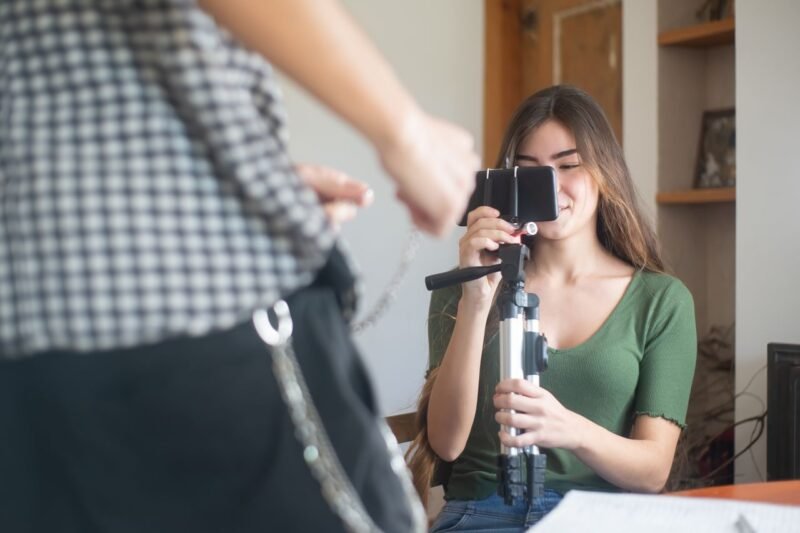
You flip the phone around to film yourself, and suddenly you’re flying blind. You can’t see your framing, you have no idea if your background is cluttered, and you spend half your time guessing if you’re even in focus.
This is the ultimate paradox of mobile content creation. The rear camera gives you elite, professional-grade image quality, but zero convenience. The front-facing selfie camera offers easy monitoring, but you sacrifice resolution, depth of field, and low-light performance.
The Shimbol CP5 Ultra completely eliminates this compromise. It’s a dedicated smartphone monitor that brings effortless framing, touchscreen control, and MagSafe convenience to your mobile video workflow—making it the ultimate companion for devices like the iPhone 17 Pro Max.
Why a Dedicated iPhone Monitor is a Game Changer
Using your phone’s rear camera system unlocks the absolute best video quality your device can offer. However, without a way to monitor the shot, solo filming quickly turns into a tedious chore.
Without a monitor, your workflow looks like this:
Set up the tripod ➔ Step into frame ➔ Record a test clip ➔ Walk back to review ➔ Adjust ➔ Repeat
This guessing game kills your creative momentum and wastes hours of production time. A dedicated external monitor changes the entire equation by allowing you to:
- See yourself instantly while utilizing your phone’s highest-quality camera sensor.
- Perfect your framing and background composition before you hit record.
- Control your phone remotely via an intuitive, lag-free touchscreen interface.
- Transform your smartphone into a professional, production-ready camera rig.
What is the Shimbol CP5 Ultra?
The Shimbol CP5 Ultra is a specialized external monitor built specifically for modern smartphone creators. Unlike traditional field monitors that require a maze of HDMI cables, heavy batteries, and complex configurations, the CP5 Ultra is built for frictionless, plug-and-play operation.
Seamless MagSafe Integration
For iPhone users, the design is brilliantly simple. The CP5 Ultra attaches directly to the back of your device using built-in MagSafe magnets. It provides an incredibly clean, cable-free setup that doesn’t add bulky weight to your travel rig.
💡 Pro Tip: If you use a phone case, make sure it is fully MagSafe-compatible with strong internal magnets to guarantee a secure, stable bond while shooting on the move.
Setting Up the CP5 Ultra: From Pocket to Production in 60 Seconds
Getting the monitor up and running takes less than a minute. The workflow is incredibly straightforward:
- Snap It On: Attach the monitor to the back of your iPhone via MagSafe.
- Power Up: Turn on the CP5 Ultra.
- Launch Your App: Open your native camera app (or third-party apps like Blackmagic Cam).
- Start Monitoring: Watch the display perfectly mirror your iPhone screen.
Once connected, you maintain a crystal-clear, front-facing view of your shot even though you are shooting with the premium rear lenses.
The Ultimate Feature: Full Touchscreen Control
The CP5 Ultra is far more than just a passive display—its interactive touchscreen is what makes it a workflow powerhouse. Instead of awkwardly reaching around the phone to change settings and messing up your alignment, you can control your camera app directly from the monitor screen:
- Trigger the Shutter: Tap the monitor to snap photos or start/stop video recording.
- Switch Shooting Modes: Effortlessly toggle between Photo, Video, and Cinematic modes.
- Lens Switching: Quickly swap between your main, ultra-wide, or telephoto lenses to adjust your field of view on the fly.
Beyond the Back Panel: Wireless Freedom
One of the biggest advantages of the CP5 Ultra is its versatility. It doesn’t have to stay docked to the back of your phone. You can detach the monitor and use it completely un-tethered to direct your shots from a distance.
| Production Scenario | How the CP5 Ultra Saves the Day |
| Solo Studio Recording | Place the phone on a distant tripod and monitor your framing right from your desk or seat. |
| High/Low Angle Shots | Frame extreme angles without having to crouch or lay on the ground to see the phone screen. |
| Remote Photography | Snap group photos or self-portraits perfectly without relying on a frantic self-timer sprint. |
Elevated Workflows: Vlogging & Studio Production
Whether you are capturing content on the move or building a permanent home studio, this monitor dramatically elevates your production value.
For Vloggers
Ditch the low-res selfie camera for good. The CP5 Ultra allows you to walk, talk, and vlog using your iPhone’s cinematic main sensor and advanced optical stabilization, ensuring you stay perfectly framed in every environment without the guesswork.
For Studio Creators
Stop running back and forth to check your focus. Set up your frame once, monitor your lighting and composition from your seat, and record with absolute confidence. It saves time, reduces frustration, and makes the smartphone feel like a genuine cinema tool.
Instant Quality Checks
Another massive workflow win is on-the-spot playback. If you want to check the quality of a take, you can review your footage right on the monitor with full sound. This lets you spot mistakes instantly before you tear down your set.
The Verdict: Who Should Buy the Shimbol CP5 Ultra?
If you are serious about mobile filmmaking and want to squeeze every ounce of performance out of your phone’s camera, the CP5 Ultra is a must-have accessory.
It is an ideal fit for:
- Solo Content Creators who handle their own filming, lighting, and presentation.
- Vloggers who demand premium rear-camera quality without losing sight of the frame.
- Mobile Photographers who need a reliable, high-quality remote viewport and shutter.
- iPhone Enthusiasts looking to turn their device into a streamlined content powerhouse.
The Shimbol CP5 Ultra succeeds because it solves a frustrating, real-world creative problem with total simplicity. You no longer have to choose between the convenience of seeing yourself and the pristine quality of your main camera. With this rig, you finally get both.

- 【FULL TOUCH CONTROL WITH EASY BLUETOOTH PAIRING】Control your smartphone directly from the CP5 Ultra touchscreen with tap, swipe, and zoom functions. WiFi delivers real-time screen mirroring, while Bluetooth sends touch commands for smooth operation. Make sure Bluetooth is paired before use to enjoy the complete touch control experience.
- 【Note: Please download the Blackmagic Camera App for use with this product to achieve high-definition 4K shooting without latency】
- 【Real-Time Screen Mirroring with Touch Control】Operate your phone directly from the monitor: zoom, adjust focus, or start recording with a simple touch. Instantly switch to the rear camera for professional selfies/vlogs – without touching your smartphone.
- 【5-Inch Immersive Full HD Display】Carefully calibrated 5-inch screen balances portability & immersion; Full HD (1080P) resolution with precise pixel calibration offers vibrant colors, sharp contrast & clear details for framing/previewing.
- 【Dual-Band 50m Wireless: Stable & Low-Latency】2.4G/5G dual-band tech provides 0.04s ultra-low latency & 50m stable transmission (open areas); ideal for indoor/outdoor use, ensuring real-time sync to avoid lag.